Rivers & hydrology
Add rivers, water bodies and atlas-style cartography to any map.
import acadgis as agis

gdf = agis.load_boundaries("Bangladesh", "country")
ax = agis.plot(gdf, palette="pastel")
agis.add_rivers(ax)
agis.add_water(ax)
agis.show()
River sources
AcadGIS can draw rivers from two sources:
- Natural Earth (bundled 50 m, optional 10 m download) — clean, generalized, fast.
- OpenStreetMap (
rivers="osm") — the dense, detailed network pulled live from the Overpass API and cached.
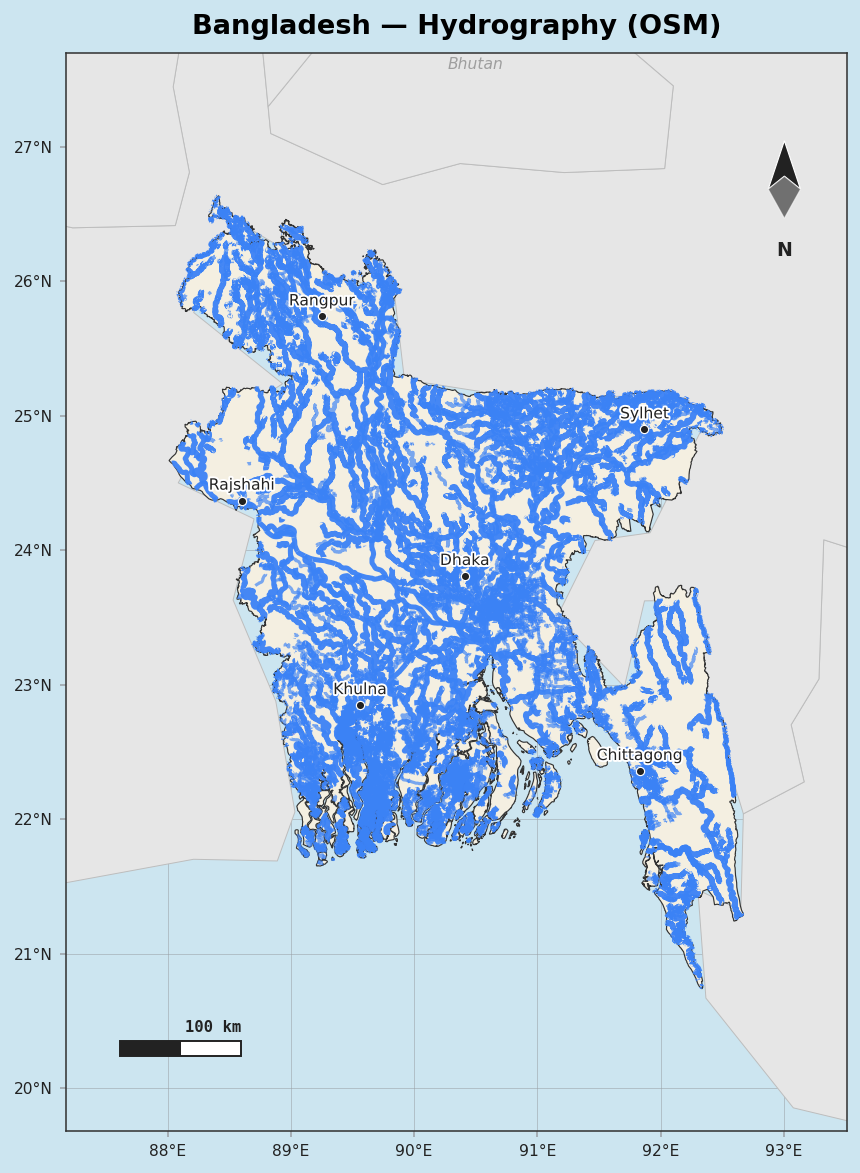
Loading layers directly
rivers = agis.load_rivers()
lakes  = agis.load_lakes()
osm    = agis.fetch_osm_rivers("Bangladesh")   # raw OSM waterways
Atlas-style maps
atlas() produces WorldAtlas-style cartography in one call — greyed and labelled neighbour
countries, the named river network, water bodies and optional city markers:
Water styling and labels
ax = agis.plot(gdf)
agis.add_rivers(ax, rivers="osm", label=True)   # label major rivers
agis.add_water(ax)
agis.save(ax, "hydrology.pdf", dpi=300)
OSM etiquette
OSM rivers are fetched from Overpass with a descriptive User-Agent and cached after the first request, so repeated runs are fast and considerate of the public API.